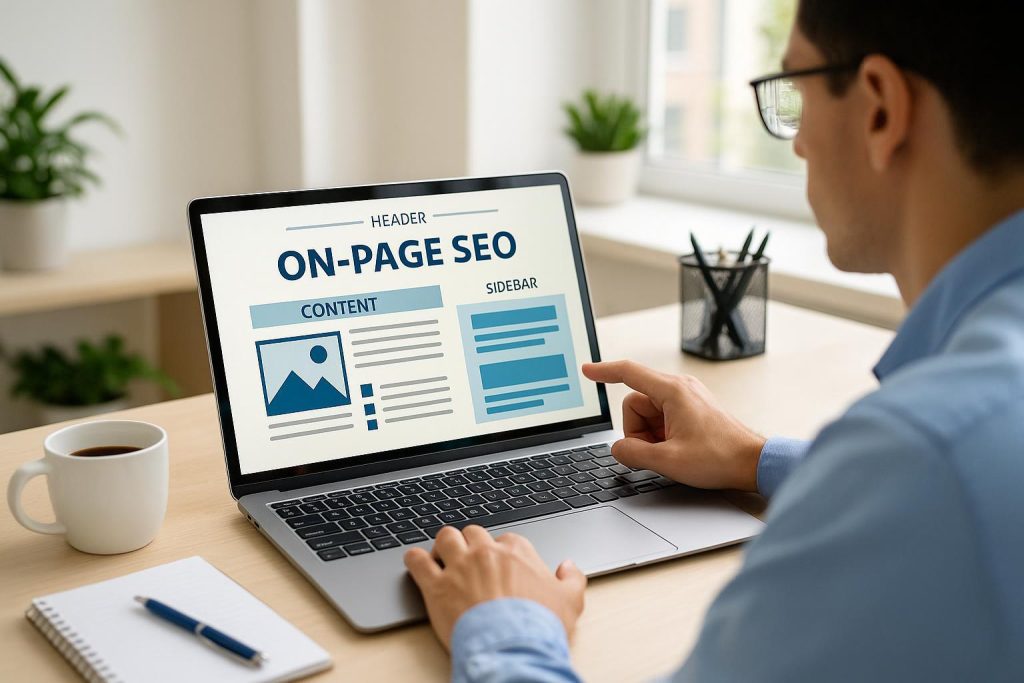
Why on-page SEO and user experience work together
On-page SEO has a direct impact on user experience because it helps people find, understand, and use your website with less effort. When a visitor lands on a page from Google, they want a clear answer, a page that loads quickly, and an obvious next step. On-page optimization supports all three. It improves content quality, page structure, mobile usability, accessibility, navigation, and conversion paths. The result is a site that is easier for people to trust and easier for search engines to interpret.
For small and mid-sized businesses, this matters well beyond a potential Google ranking increase. A confusing, slow, or generic page can waste the attention you worked hard to earn. A useful page can turn a searcher into a reader, a reader into a prospect, and a prospect into a customer. That is why effective on-page SEO should be treated as part of the customer experience, not as a separate technical checklist.
The best approach starts with a simple question: does this page make it easier for the right person to solve a problem or make a decision? If the answer is yes, you are building a stronger foundation for sustainable organic growth.
Relevant content gives visitors a reason to stay
Content is the center of on-page SEO because it is what visitors actually came to consume. A page should match the intent behind the search, whether someone is looking for a definition, comparing options, researching a local provider, or preparing to contact a business. Clear, complete content reduces uncertainty and helps users feel that they are in the right place.
For example, a service page should not only repeat a service name. It should explain who the service is for, what problem it addresses, what the process looks like, and what a prospective customer can expect next. An FAQ should answer the question immediately, then address the practical follow-up questions readers are likely to have. This is content-driven SEO at its best: useful information organized around genuine needs rather than a list of repeated keywords.
- Clear answers build confidence: Visitors should be able to understand the main point within the first few lines.
- Specific details reduce friction: Plain explanations, examples, timeframes, and expectations help people move forward with confidence.
- Scannable formatting saves time: Short paragraphs, descriptive headings, and focused lists let busy readers find what matters.
- Original expertise earns trust: Helpful guidance shows that a business understands the customer’s situation and can offer a credible solution.
Keywords still matter, but they should describe the topic naturally. Forcing the same phrase into every sentence makes copy harder to read and less persuasive. Search engines have become better at understanding context, while people have always noticed awkward writing. Write for the customer first, then use the language they are likely to search when it genuinely fits.
Page structure makes information easier to use
A well-structured page is easier to scan on a phone, easier to understand at a glance, and easier to navigate with assistive technology. Headings create a logical route through the content. They allow visitors to jump to the section that answers their question instead of reading every word to find it.
Good on-page structure also gives search engines useful context about the relationship between topics. A page should have one clear primary topic, followed by sections that explain supporting points. Headings should describe what the section contains, not exist merely to include a keyword. This small distinction improves clarity for everyone.
Other structural elements matter too. Descriptive image alt text helps screen-reader users understand meaningful visuals. It can also provide search engines with context about an image. Clean URLs are easier to recognize and share than long strings of numbers or vague parameters. Readable fonts, sufficient contrast, and sensible spacing make content more comfortable to consume, particularly on smaller screens.
Accessibility is not an optional add-on. Visitors may use a keyboard rather than a mouse, a screen reader, browser zoom, captions, or a mobile device in bright sunlight. Pages designed with these needs in mind create a more inclusive experience and remove barriers that could otherwise cost a business a lead.
Fast, mobile-friendly pages protect attention
Speed is a user experience issue first. Visitors do not think about code, scripts, or file sizes when a page takes too long to load; they simply lose patience. Slow pages can interrupt research, discourage form submissions, and cause people to return to the search results to try another option. On-page SEO helps identify and address common causes, including oversized images, unnecessary scripts, unstable page elements, and inefficient page templates.
Mobile performance is especially important because many service-based searches begin on a phone. A mobile visitor may be between appointments, comparing providers quickly, or looking for a direct way to call or request information. Buttons should be easy to tap, forms should ask only for essential details, and important information should not be hidden behind difficult menus or intrusive pop-ups.
- Prioritize the page’s main content: Let users see the answer or service information quickly.
- Use appropriately sized images: Visuals should support the message without delaying the page.
- Keep interactions stable: Avoid layouts that shift as the page loads and cause accidental taps.
- Test real user paths: Check how easily someone can read, navigate, and take action from a phone.
Technical improvements alone do not guarantee conversions, but they prevent avoidable frustration. When speed, clarity, and relevance work together, visitors are more likely to engage with the page on their own terms.
Navigation and internal links guide the next step
Visitors should never have to guess where to go next. Clear navigation, descriptive menus, and logical page categories make a website feel organized and dependable. If someone is reading about a service, they may also need pricing guidance, case studies, related FAQs, or a contact option. Thoughtful internal links connect those needs without forcing the visitor to start a new search.
Internal links are valuable when they are genuinely helpful. Rather than using vague phrases such as “click here,” link text should tell readers what they will find. For instance, a link can lead to a related guide, a service overview, or a contact page for the next stage of the decision. This improves the browsing experience and helps search engines discover the relationships among pages on the site.
For a local or regional business, navigation should also make service areas and availability easy to locate when relevant. Clear contact details, straightforward service descriptions, and consistent business information reduce doubt for people who are deciding whether to reach out.
Search result previews set the right expectations
Title tags and meta descriptions influence the first interaction many people have with a page: the search result itself. While the page content must deliver the real value, an accurate title and description help the right visitors choose it. They should clearly describe the topic, avoid exaggerated promises, and reflect what the reader will actually find after clicking.
Expectation-setting is a major part of user experience. If a search result promises one thing and the page delivers something else, visitors may leave quickly because the page did not meet their need. A precise preview attracts a more qualified audience and begins the relationship with transparency.
How better UX supports measurable SEO growth
On-page SEO does not mean optimizing for search engines at the expense of people. The strongest strategy aligns both. Helpful content can earn more relevant visits. Clear page organization can make information easier to find. Faster performance can reduce abandonment. Strong calls to action can make it simpler for an interested visitor to request information.
It is important to measure the full journey, not just rankings. Review organic traffic, engagement with key pages, form completions, calls, and the paths visitors take before converting. These signals show where users are finding value and where a page may still create friction. An AI-driven SEO strategy can help teams identify patterns faster, but the standard remains simple: improvements should make the experience clearer and more useful for real people.
Loop Labs approaches on-page optimization as part of a scalable growth engine. Lab-Tested SEO focuses on the pages, questions, and conversion paths that can support predictable, data-backed results over time. Instead of chasing shortcuts, the goal is to build a website that earns attention by being fast, useful, trustworthy, and easy to use.
A practical on-page SEO checklist
- Confirm that each page addresses one clear search intent and answers the core question early.
- Use descriptive headings and short sections so visitors can scan the page quickly.
- Write naturally, using relevant search terms without keyword stuffing.
- Improve mobile usability, loading speed, image optimization, and visual stability.
- Add meaningful alt text and ensure key actions are accessible by keyboard and screen reader.
- Use clear navigation and helpful internal links to guide visitors to related information.
- Set accurate expectations with page titles and meta descriptions.
- Review performance regularly and refine pages based on organic traffic, engagement, and conversions.
When on-page SEO is done well, it creates less friction and more confidence at every step. That is good for users, good for business growth, and a far more durable path to organic visibility than chasing quick fixes.