
How to Ensure Your CMS Investment Stands the Test of Time
Selecting a content management system (CMS) isn’t just about managing blog posts and images in the here-and-now. The real challenge is long-term sustainability: how can you guarantee that your chosen platform will e
volve alongside your business, support ever-changing technologies, and maintain stable performance as you scale up? A future-proof CMS is more than a technical convenience—it’s the strategic heart of your digital presence. This comprehensive guide outlines the key features and considerations for making a CMS decision that stands the test of time.
1. Why Future-Proofing Your CMS Matters
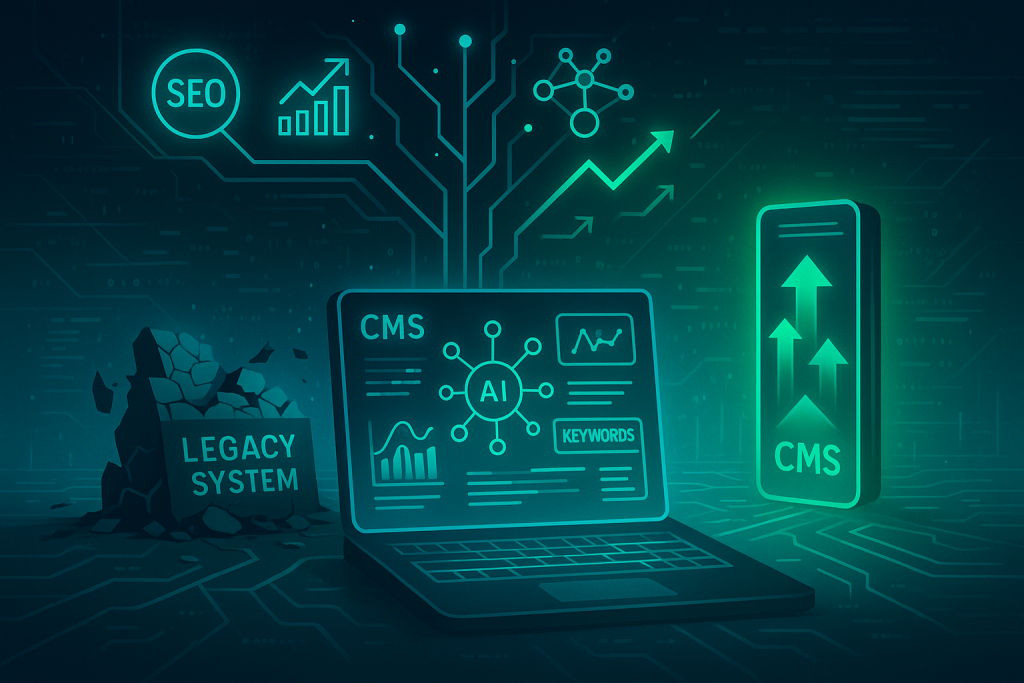
In today’s rapidly changing digital environment, your CMS has to keep pace with emerging trends. Future-proofing means investing in a system that can handle increased traffic, integrate with new tools, and seamlessly accommodate design or feature upgrades. If you neglect this, you may find yourself forced to replatform within a few short years, dealing with extensive migrations and retraining your staff.
On the flip side, a future-proofed CMS can facilitate organic growth acceleration and predictable, data-backed results in your marketing. When your platform is flexible enough to adopt new methods—like AI-driven SEO strategy or content-driven SEO approaches—the gains go beyond convenience, actively helping you build domain authority and drive more conversions. These advantages eliminate the need to overhaul your site every time you decide to level up digital efforts.
2. Embrace Flexible Architectures
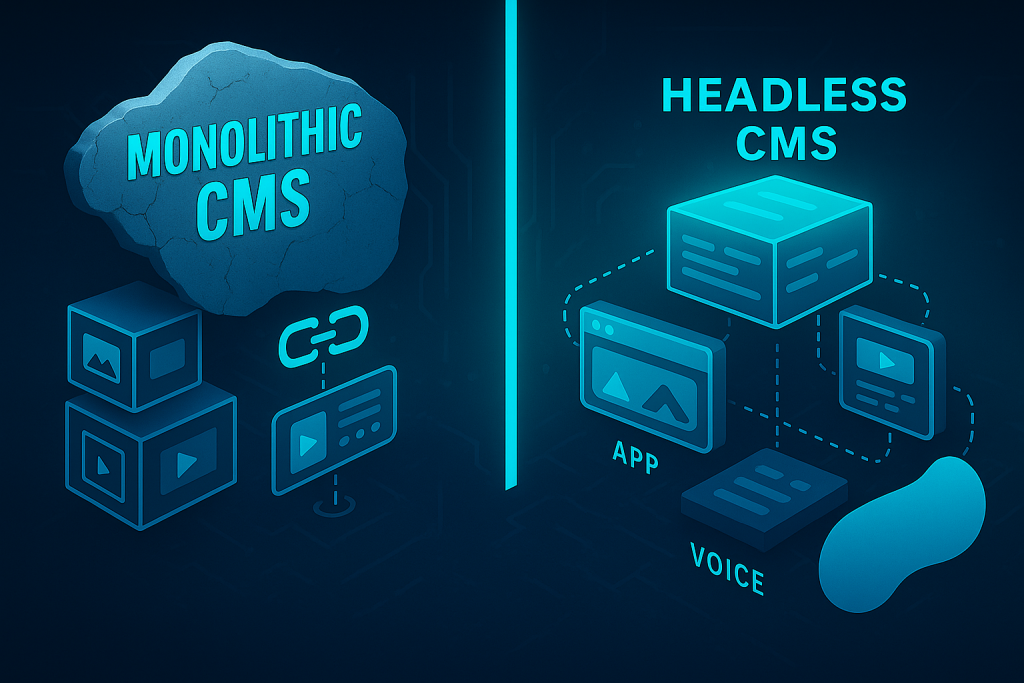
A monolithic design where front-end and back-end components are tightly coupled can trap you in cumbersome updates. Any significant tweak may require deep coding changes, slowing you down. Instead, look for a CMS with modular designs or headless architecture. In a headless setup, the content repository is decoupled from the presentation layer, so you have the freedom to push your content to websites, apps, third-party platforms, or even voice assistants—without rewriting the entire system.
Flexibility is also essential if you frequently experiment with new content formats. As you roll out interactive quizzes, dynamic product catalogs, or advanced analytics dashboards, an adaptable CMS architecture handles updates more gracefully. It supports a “configure rather than code” mentality, enabling marketers and content creators to adjust layouts, integrate new fields, and test fresh ideas without leaning extensively on developers.
3. Prioritize Scalability
No one wants their system to fail or slow to a crawl when website traffic spikes. If your goal is to double current traffic or hit 1,000 monthly visitors, a truly scalable CMS is a cornerstone of that plan. Scalability isn’t just about your website’s ability to handle a higher volume of users; it’s also about accommodating more complex features—like membership portals, e-commerce shops, or expanding knowledge bases—when you update your business model.
The ideal system takes advantage of modern hosting solutions—often cloud-based—to deliver dynamic resource allocation. Importantly, this means your CMS can run smoothly even on days of unexpected traffic surges, boosting user satisfaction and supporting better search engine rankings. Focusing on scalability up front ensures your investment can grow with your ambitions.
4. Robust Integration and Compatibility
Performance-driven digital strategies rely on various tools, including email marketing platforms, social media schedulers, CRM systems, and specialized analytics. A future-proof CMS must seamlessly integrate with all of these, allowing you to connect data and orchestrate tasks across multiple platforms. Look for open APIs, plugin ecosystems, or connectors that allow you to incorporate new functionalities as your organization evolves.
Let’s say you decide to implement a cutting-edge, AI-driven SEO strategy to achieve predictable, data-backed results. Your CMS should make data transfers to AI analytics tools or performance-based SEO dashboards straightforward. Without this kind of compatibility, your team risks spending undue resources on workarounds and custom coding, hemorrhaging time and budget. In contrast, a well-integrated platform expedites tasks like automated content scheduling, user behavior analysis, and direct publishing to emerging channels.
5. Security is Non-Negotiable
Modern security threats—from data breaches to malware injections—are unfortunately part of the digital landscape. Your CMS must continually adopt robust security measures to remain viable for the long haul. This includes regular patches, rapid fixes for newly discovered vulnerabilities, and best-practice adherence to protect user data, especially for sites requiring login functionalities or e-commerce transactions.
A secure CMS not only safeguards your brand reputation but also supports vital SEO performance. When search engines detect frequent security issues or suspect malicious activity, your rankings can suffer. By placing security at the forefront, you hold onto user trust and avoid potential ranking penalties from Google. Over time, that helps fortify your site’s authority, directly boosting traffic and conversions.
6. Collaboration and Workflow Tools
Even if your company is small, having an organized content workflow is pivotal to ensuring consistent output. Poor collaboration can stall publication schedules, create confusion about editorial responsibility, and result in a fragmented user experience. A robust CMS offers role-based access levels, version control, and streamlined approvals so that content moves from idea to reality as efficiently as possible.
This environment is also crucial for agencies or external teams who need to plug into the same system. Whether you manage content in-house or hire an external consultant, workable workflows help avoid duplication, speed up reviews, and maintain brand consistency. When aiming for organic growth acceleration, maintaining a steady flow of fresh, optimized content can be just as important as site performance. Collaborative tools in your CMS keep the wheels turning with minimal friction.
7. Benefit from Active Community and Solid Support
When rare errors or complex issues arise, it pays to have a vendor or community that can swiftly guide you to a fix. Even open-source systems can be future-proof if they boast dedicated developer communities producing regular updates, plugins, and best-practice insights. Extensive documentation is another lifeline, cutting your downtime whenever you hit a snag.
A lively support community also fosters innovation. When new technologies—like voice search integrations or advanced analytics—emerge, these communities often develop fresh plugins or helpful code snippets right away. Staying current in a rapidly shifting marketplace becomes more manageable if you have a robust network and official developer backing.
8. Learning from Real-World Use Cases
Examining how organizations in similar niches use a particular CMS is often the best test of its future viability. You’ll see whether heavy content demands, e-commerce expansions, or subscription services can be accommodated without a complete overhaul. The stories of small businesses that grew into well-known regional players, for example, can reveal your own CMS’s adaptability over time.
Suppose you’re exploring advanced marketing tactics, from Lab-Tested SEO to performance-based SEO. Real-world case studies can show how your chosen platform integrates new technologies without heavy redevelopment. For instance, it might highlight a retailer who added multi-channel inventory management and saw immediate gains in conversions, or a business that introduced AI-driven personalization features and experienced a noticeable uptick in user engagement. These success stories can validate your CMS decision.
9. Elevate Performance and SEO-Friendliness
Site speed, mobile responsiveness, and accessibility have become towering pillars of ranking well in Google’s search engine results. Your CMS choice can either facilitate or be a roadblock to necessary optimizations. For instance, if your platform doesn’t support modern image formats, caching strategies, or easy upgrades for structured data, you’ll struggle to compete in the long run.
A CMS that is built to handle content-driven SEO ensures you can easily manage metadata, control URLs, and insert internal links where appropriate. It might also provide robust analytics features or integrate with specialized SEO toolkits to clarify what’s working, what’s not, and how you can improve. With that data, you can adapt your approach quickly—rather than letting old strategies hamper your traffic growth. Optimizing performance is more than a vanity metric; it has a direct impact on organic growth acceleration.
10. Harness AI Tools and Performance-Based SEO
Many forward-looking businesses now adopt an AI-driven SEO strategy to optimize content creation, placement, and overall engagement. By merging AI insights with your CMS, you can get predictive analytics about user behavior or unveil new keyword opportunities based on real-time search trends. A future-proof platform will allow you to tap into these tools without complicated custom-coded bridges.
Performance-based SEO can be integrated seamlessly when your platform has open APIs or plugin ecosystems. For instance, you might employ an external service that ties into your CMS for automated content enhancements, advanced SEO audits, or dynamic link structuring. A frictionless connection ensures you get actionable insights without sifting through multiple dashboards or duplicating data entry. The overarching goal is predictable, data-backed results that solidify your site’s authority and help you convert casual visitors into loyal clients.
11. In-House Solutions vs. an Alternative to Agencies
Your CMS decision often relates to how you manage marketing as well. If you’re a small to mid-sized business with limited internal resources, you may wonder whether to hire a traditional agency or invest in a platform that serves as a scalable growth engine. In many cases, the latter aligns more closely with the notion of future-proofing: it’s an alternative to agencies that’s cost-effective and adjustable to your evolving needs.
A future-proof CMS pairs well with specialized solutions, too. For instance, if you’re seeking to enhance your site’s content-driven SEO, you might adopt an external platform that integrates seamlessly. This synergy makes it possible for your team to publish optimized content faster and with fewer overhead costs, complementing or replacing the role a conventional agency might play.
12. Planning Iterations and Ongoing Upgrades
A successful CMS journey doesn’t end once you’ve committed. Schedule periodic check-ins to confirm the system still meets your goals, whether that’s launching new product lines or supporting seasonal campaigns. During these reviews, update plugins, evaluate page loading times, and look for new opportunities—like voice-activated search features or emerging user personalization technologies—to refine your site further.
Likewise, keep an eye on vendor updates and new releases. The best CMS platforms evolve with the broader tech ecosystem, adding features and improving performance. By staying proactive, you transform your CMS into a living growth engine that supports your business as it matures. In the long run, you save time, budget, and effort by avoiding drastic replatforming efforts that can hamper momentum.
13. Putting Everything into Practice
When it’s time to finalize your CMS choice, the first step is a clear understanding of your current and long-term objectives. Are you aiming to build out a robust library of evergreen content? Do you need advanced analytics to power an AI-driven SEO strategy or a performance-based SEO campaign? Are you positioning your site as a membership hub with custom user funnels? A future-proof CMS will not only address these immediate questions but also provide room to expand later.
Additionally, consider how certain specialized products could fit into your strategy. For instance, Loop Labs offers the Organic Growth Engine, a scalable solution built to integrate smoothly with your CMS and drive sustainable content-led growth. By adopting a flexible, modern platform, you can take advantage of performance-based SEO strategies and content-driven SEO implementations—without the burdensome overhead often associated with traditional agencies. This integration can serve as a smart alternative to agencies if you wish to streamline resources.
Of course, even the greatest CMS won’t thrive without consistent attention. Make it a habit to monitor site performance, test new features, and remain informed about CMS updates. As digital trends continue to evolve—think AI-based personalization or voice interactions—your platform should be nimble enough to adopt new functionalities without starting from scratch.
Conclusion
Your CMS is more than a one-off purchase; it’s a significant investment in your brand’s digital trajectory. By focusing on flexibility, scalability, security, collaboration features, and strong community support, you lay the groundwork for smooth expansions and integrated performance enhancements. In an environment where search algorithms, user behaviors, and digital frameworks change almost overnight, a future-proof CMS becomes an indispensable partner.
Evaluate each CMS against your expansion plans and marketing goals. For businesses seeking to complement or replace standard agency approaches, solutions built for content-led, AI-driven, or performance-based SEO are especially valuable. Harness these capabilities now and you’ll be well-positioned for the changes still to come—without sacrificing your bottom line or undermining your site’s stability. Ultimately, your choice of CMS isn’t just about software, but about confidently steering your digital presence toward tomorrow’s opportunities.